Installation
One command to install
Works on fresh or minimal installs of mainstream Linux distributions in about a minute; later upgrades happen automatically and roll back on failure.
command -v curl >/dev/null 2>&1 || { command -v apt-get >/dev/null 2>&1 && apt-get update -qq && apt-get install -y -qq curl ca-certificates || dnf install -y -q curl || yum install -y -q curl; }; d=$(mktemp -d) && curl -fsSL 'https://www.66panel.com/install.sh' -o "$d/install.sh" && bash "$d/install.sh"; s=$?; rm -rf "$d"; [ $s -eq 0 ]Why Nodex
Built for production
Security, controlled change, management at scale and open integration matter more than the number of features, so they come first.
Security first
A deny-by-default inbound firewall, kernel-level tamper protection, a random secure entry and two-factor authentication close the common attack surface first.
- Protected ports are always allowed and port changes have a rollback guard, so you never get locked out of your server
- SSH brute-force protection, intrusion detection and scheduled security audits
- Node keys are stored encrypted, and telemetry is off by default
Controlled change
Panel upgrades, software installs and server migrations all come with verification and a way back: if something goes wrong you can undo it instead of gambling.
- If a panel update goes wrong, the previous version is restored automatically
- IP and panel-port changes take effect only once you confirm, and are undone automatically if you lose access
- Environments on both sides are compared before migration, and differences are listed before restore
Management at scale
Resources, versions and online status of many servers in one view; batch actions and cross-node file transfer without logging in to each machine.
- One-click sign-in to any node; restart services, the panel or the server remotely
- Per-node keys: read-only, source IP, expiry, with offline alerts
- Batch operations and file transfer between nodes
Open integration
APIs and notifications plug the panel into the way you already operate, instead of adding another silo.
- API keys are scoped per module; read-only keys cannot read passwords, private keys or backups
- Alerts by email and webhook (DingTalk, WeCom, Feishu)
- Share links with an expiry and read-only scope, so you never hand out passwords
Modules
One panel to run your servers
Everything day-to-day site operations need: from websites, databases and security to backup, migration and multi-server management — every module has complete pages and settings, so you rarely need a terminal.
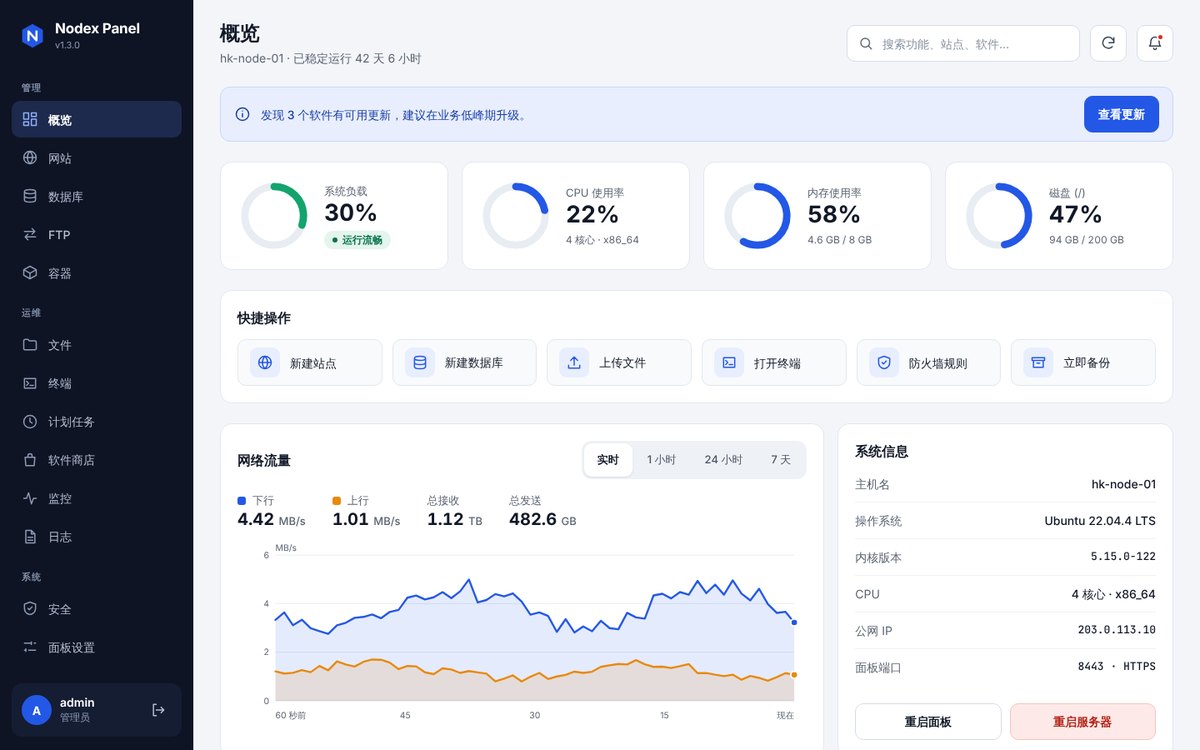
Overview and monitoring
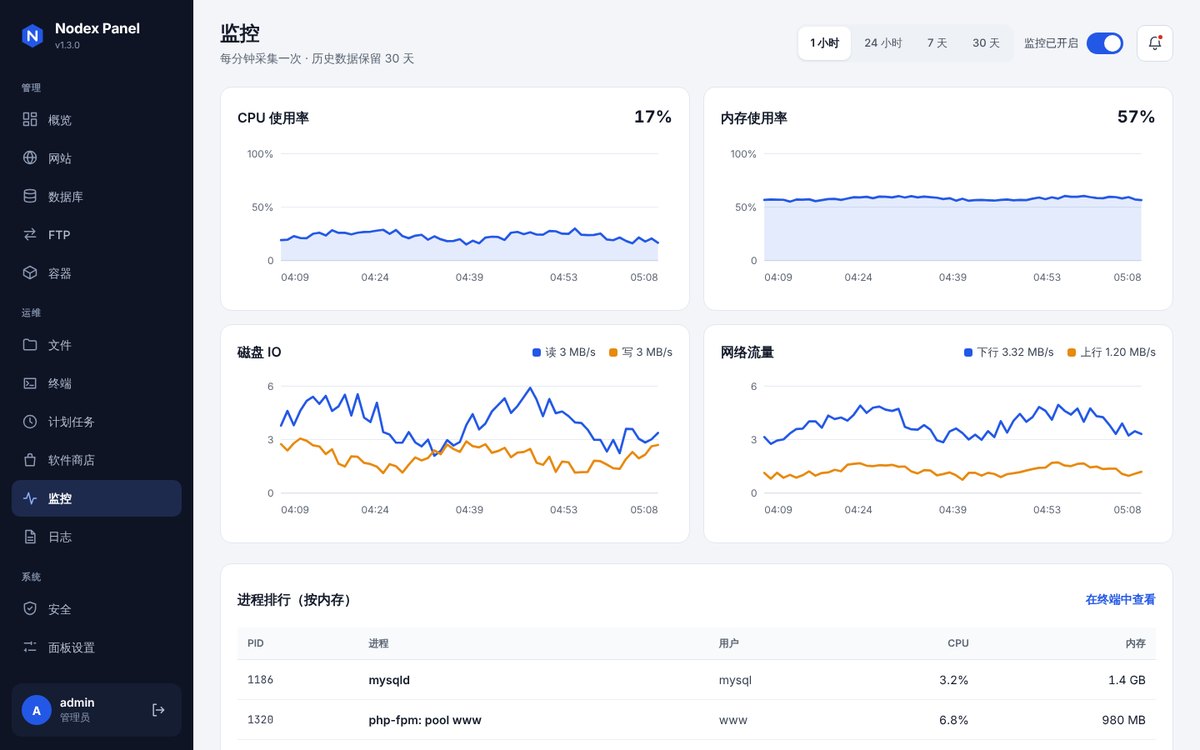
See CPU, memory, load, disk and network at a glance; monitoring keeps up to 30 days of history, alerts on thresholds and tells you when things recover.
- Live metrics and history, per network interface
- Alerts by email, webhook or Telegram
- Crashed services are restarted automatically
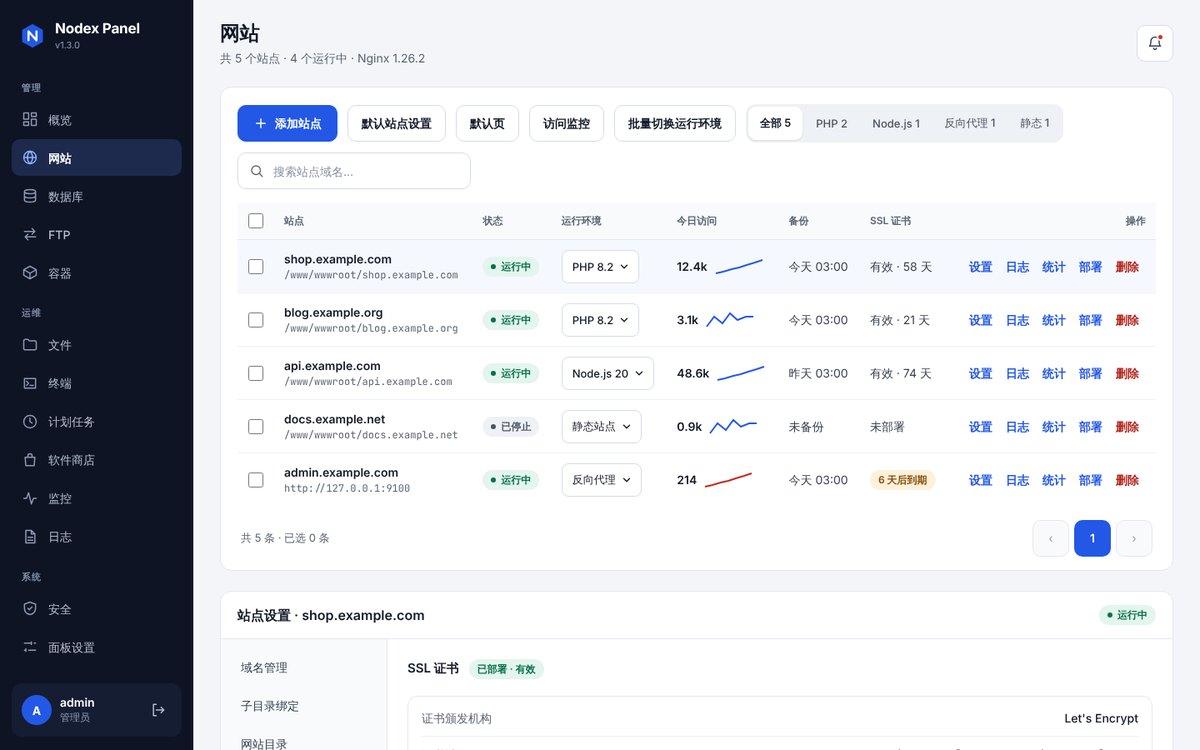
Websites and SSL
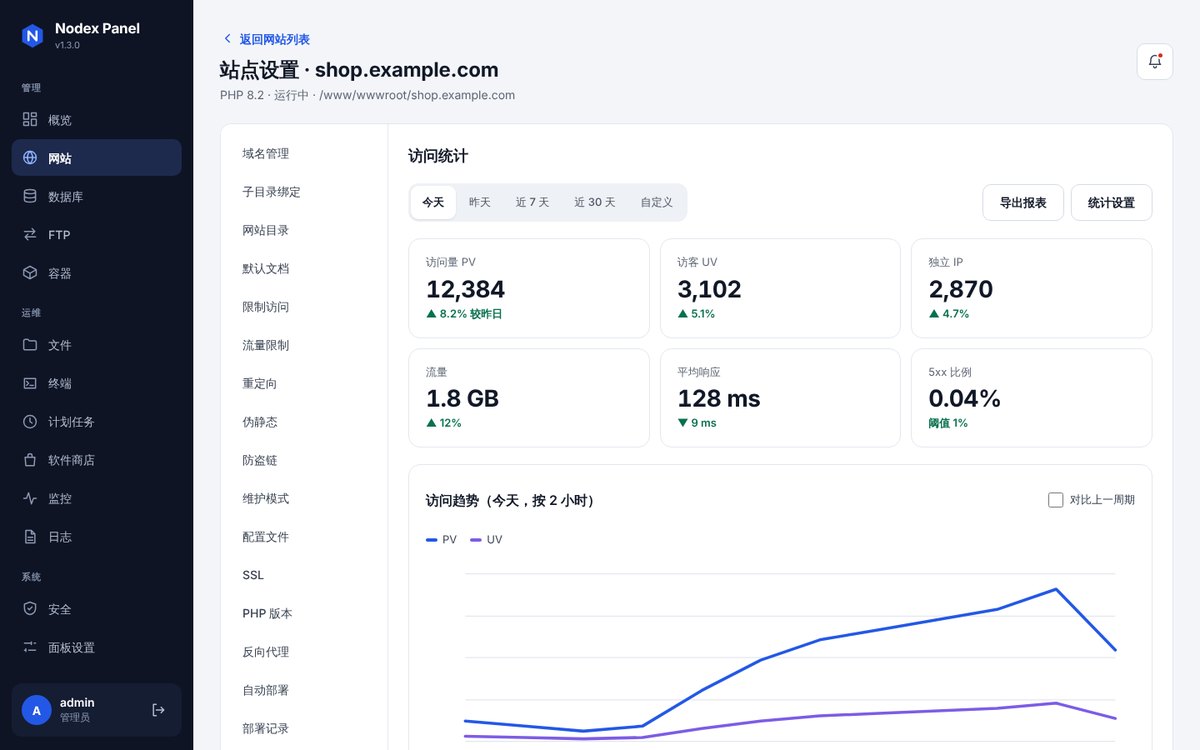
New sites get Nginx config, folders and logs automatically; domains, rewrites, reverse proxy, limits, stats and GitHub deploys are all in site settings.
- Let's Encrypt in one click, renewed automatically
- PHP 5.2–8.5 side by side, common rewrite rules built in
- Buy certificates and domains in one click (when the store is enabled)
Project deployment
Run Node.js, Java, Go and Python projects or war files with process supervision, start on boot and log rotation, then add a domain and certificate.
- Multiple JDK and Tomcat 7–11 versions side by side
- Run Composer for PHP projects in one click
- Restarts crashed processes, view logs online
Databases
Databases and users for MySQL, MariaDB, PostgreSQL and SQLite: access rights, expiry and size limits, backup, import and export in one place.
- Import .sql / .gz / .zip uploads with progress
- Backup management: retention and one-click restore
- MySQL replication with one-click replicas
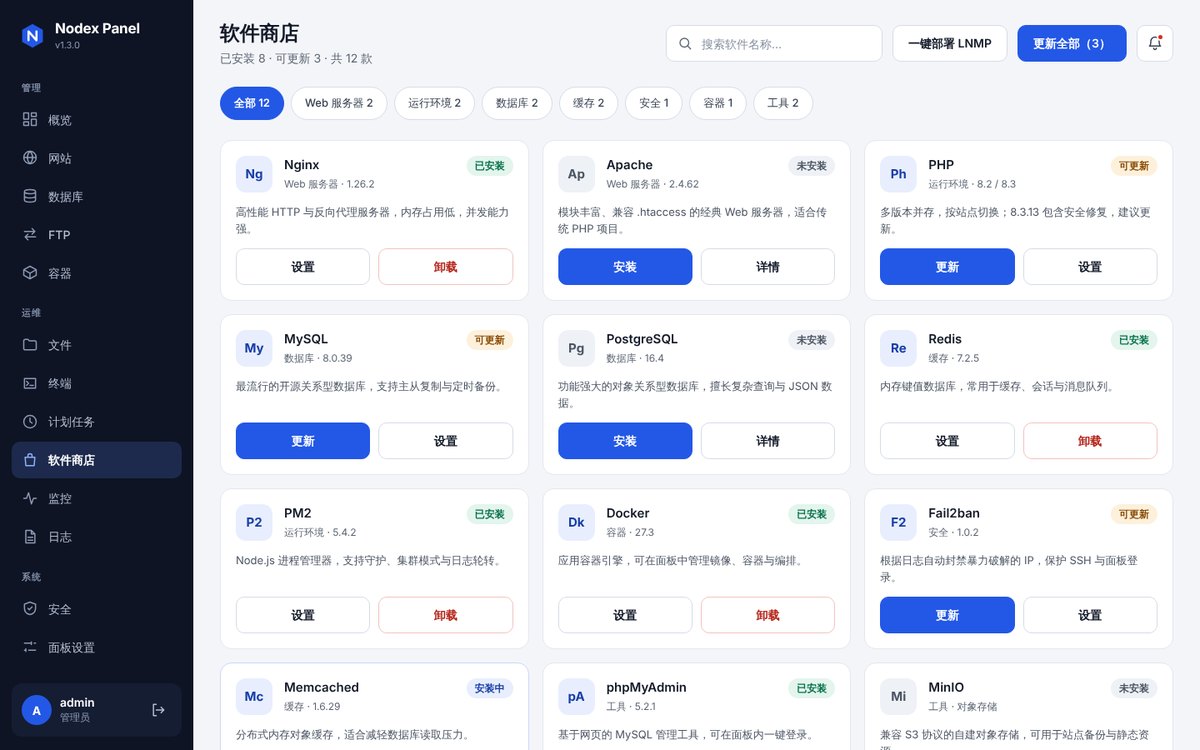
App store
Install Nginx, OpenResty, Apache, MySQL, PHP, Redis, Docker and more on demand; config, status and tuning live in one drawer.
- Live install progress; failures explain how to fix them
- Auto-tuning by memory, online config editing
- Switch system package mirrors in one click
Files and storage
The file manager uploads, downloads, compresses, edits, changes permissions and searches everywhere; mount new disks and object storage here too.
- Large uploads show speed and can be cancelled
- Encrypted archives and expiring download links
- Format and mount disks, mount S3 buckets
Security
The firewall denies inbound traffic by default and allows by port and IP; site folders are kernel-locked against tampering, with regular intrusion and security scans.
- SSH brute-force protection; block IPs from the SSH login log
- OpenResty WAF blocks common web attacks
- Device verification: only devices with a certificate can open the panel
Network and system
Bind extra IPs, change the primary IP and gateway, set MTU and DNS, with automatic rollback unless you confirm; also enable BBR and manage startup items.
- Bind or replace IPs in bulk, kept only after you confirm
- IP database shows where visitors and logins come from
- Startup items and boot time analysis
Backup and migration
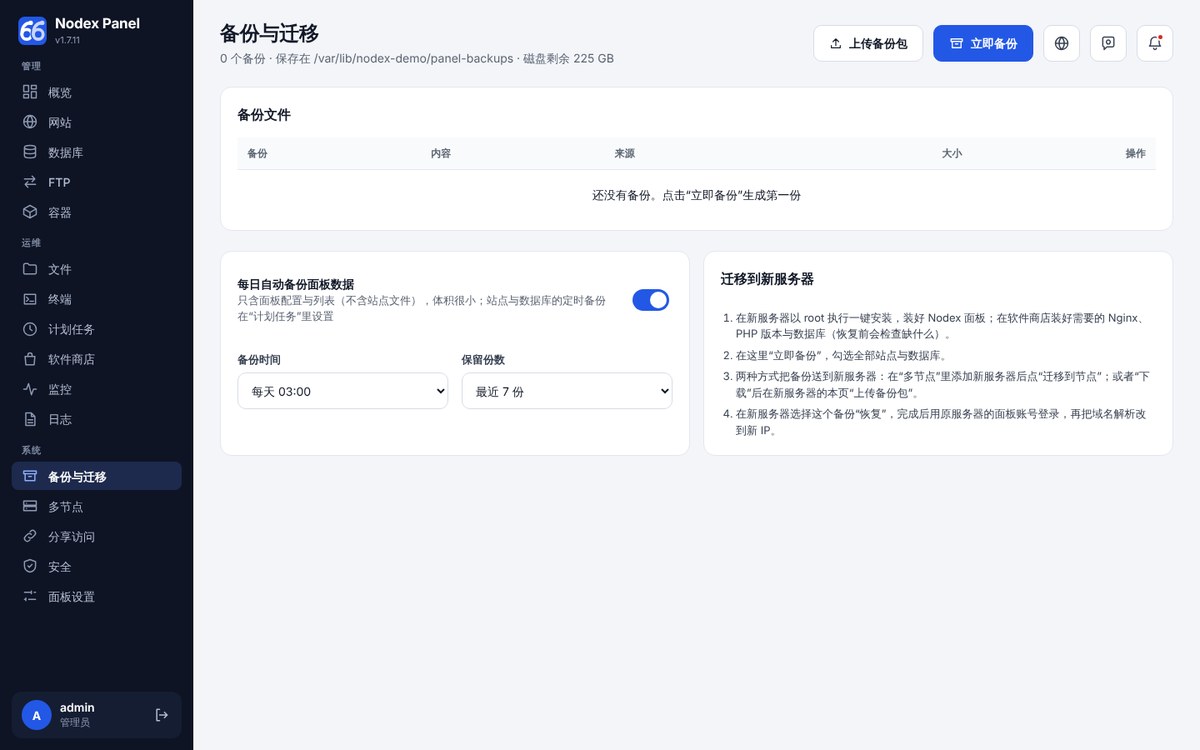
Pack panel data, site files and databases in one click and restore them on a new server; the runtime versions on both sides are compared before restoring.
- Lists what needs separate handling before migrating
- Remote storage: FTP / SFTP / S3 / WebDAV
- Scheduled backups with automatic cleanup
Multi-node management
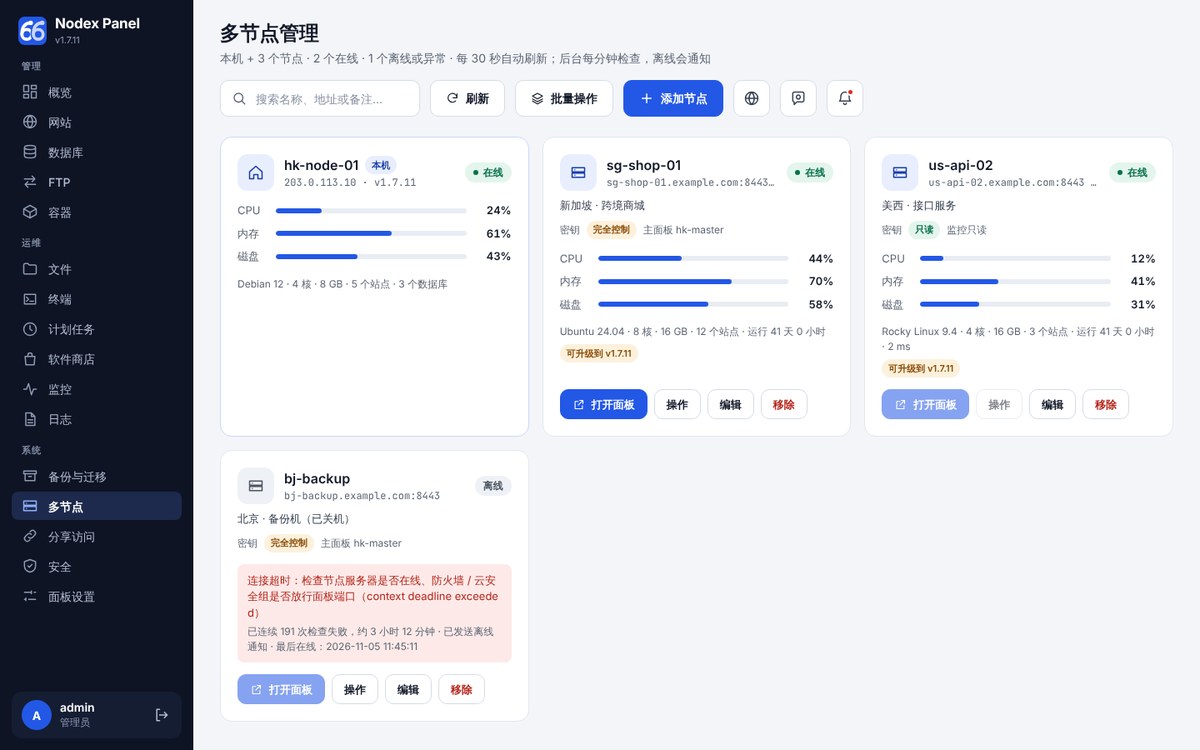
See resources, versions and status of many servers in one panel, sign in to any node in one click, run batch actions and move files between nodes.
- Node sync: copy sites, certificates and files to other nodes
- Load balancing: spread HTTP / TCP / UDP across nodes
- Per-node keys and offline alerts
Scheduled tasks and logs
Run shell scripts, site and database backups or URL calls on schedules from minutes to months; operation, login and SSH logs in one place.
- Every run is logged and can be stopped
- Rotate logs by size or schedule, then compress
- Operation logs with tamper checks
Containers and apps
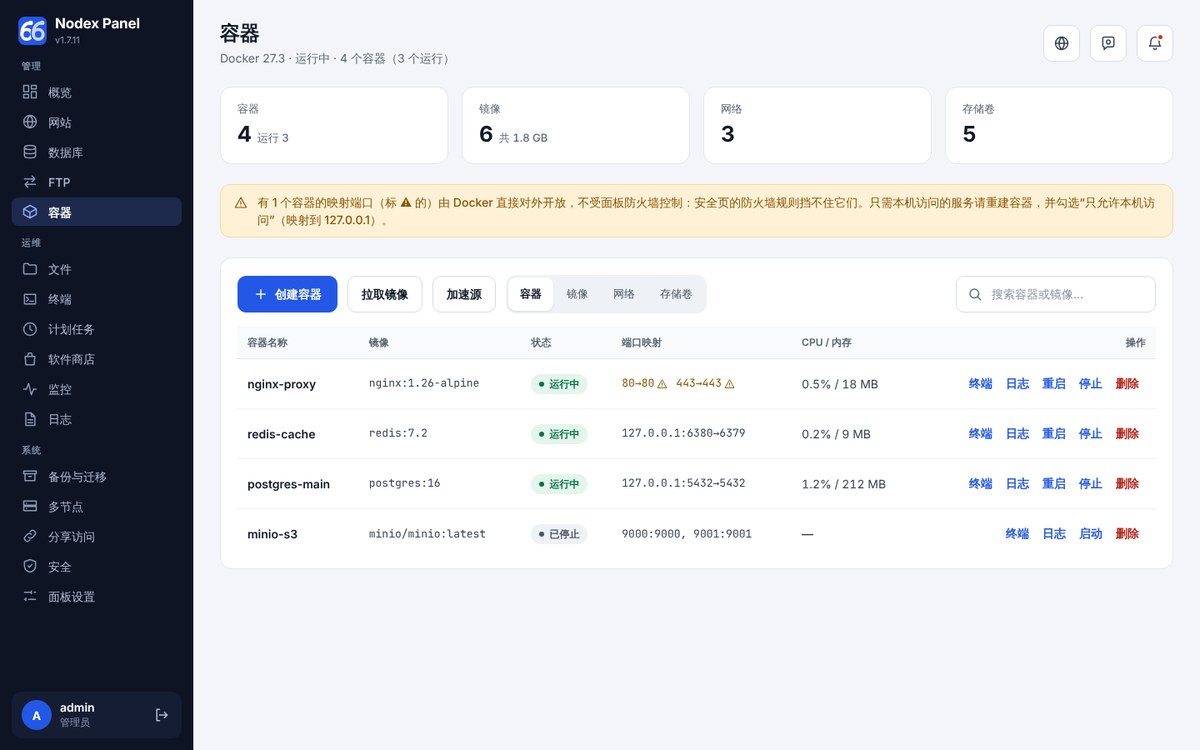
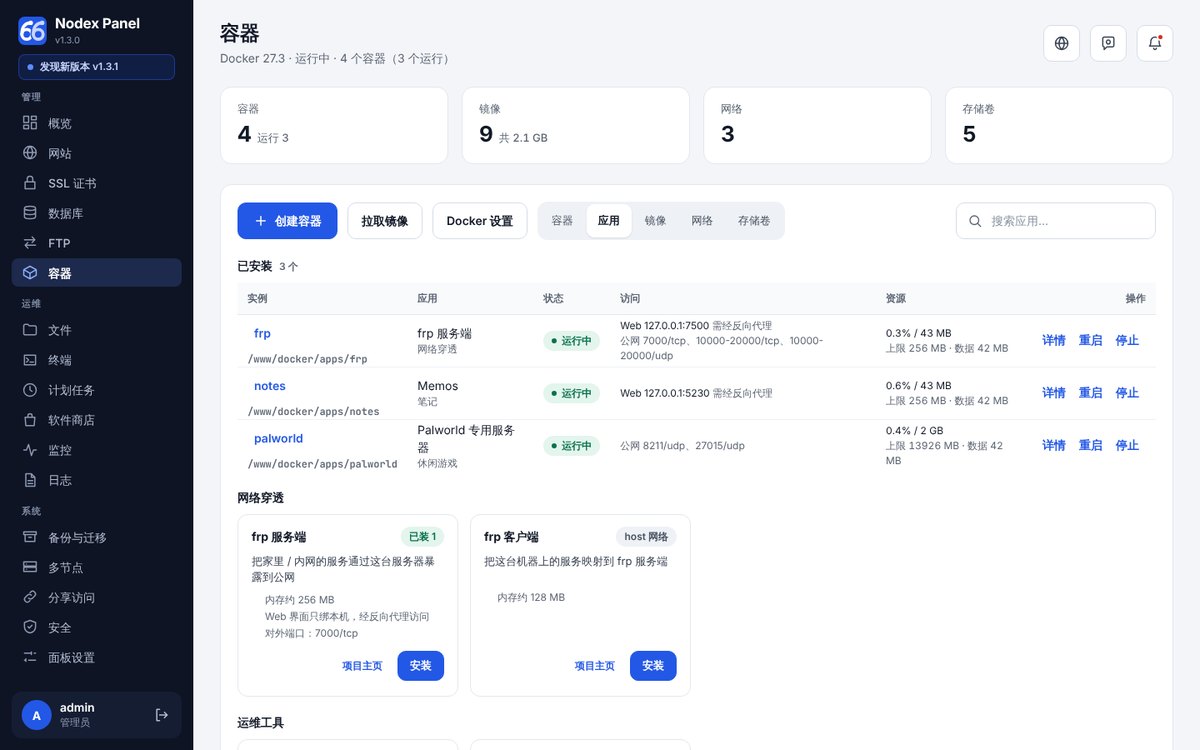
Manage Docker containers, images, networks and volumes, with one-click apps from frp, Memos and Uptime Kuma to Palworld game servers.
- Checks ports, memory and disk first; generates passwords
- Every app has memory / CPU limits and log rotation
- Update hints; upgrades back up first and roll back on failure
Terminal and FTP
A web terminal opens a shell right in the browser, no SSH client needed; Pure-FTPd accounts get expiry, speed and quota limits.
- Tabbed terminal, including container shells
- FTP logs; block IPs with many failed logins
- FTP / SFTP as remote backup storage
Share access and API
No need to share passwords: create a link with an expiry, read-only mode and chosen features; other systems connect with API keys.
- Share links last at most 30 days; tokens are stored only as hashes
- API keys: read-only, source IP, per-module access
- Interface in Simplified Chinese / English / Traditional Chinese
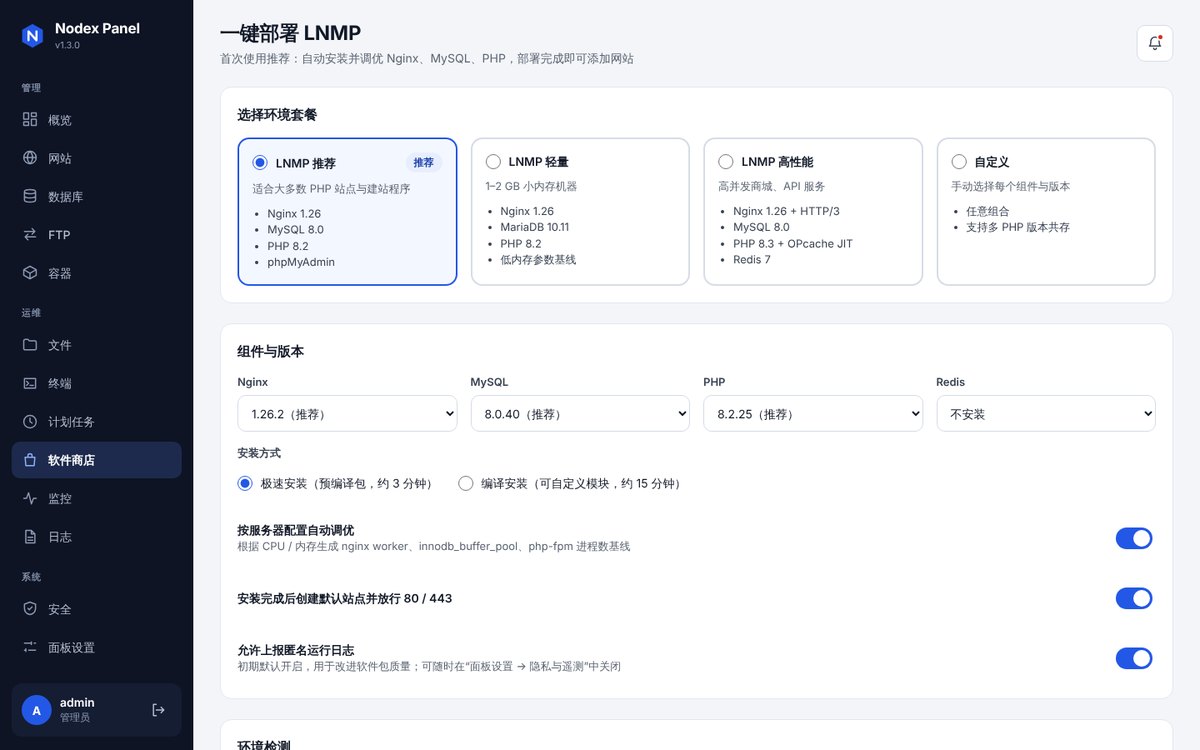
One-click LNMP / LAMP and hot updates
Deploy LNMP (Nginx) or LAMP (Apache) + MySQL + PHP in one click, tuned to your memory; the panel keeps itself up to date.
- A production-ready stack in 3 minutes; LAMP keeps .htaccess working
- Built-in stack templates, with the version of each component yours to choose
- Automatic panel updates, with the previous version restored if anything goes wrong
Architecture
A clear architecture, with your data on your server
The panel runs on your own servers and your data never leaves them; several servers are managed from a single entry point, over HTTPS throughout.
- Random secure entry path and two-step verification
- One view of all nodes, one-click sign-in
- Batch operations and file transfer between nodes
- API keys and webhook notifications
Panel: installed on your own server
A single binary running as a systemd service with no external runtime; sites, databases and keys all stay on your server.
Many servers, one entry point
Add your other servers as nodes: see resources and online status in one place, sign in with one click, run batch operations and send files between nodes. Each node has its own key, which can be limited to read-only access, source IPs and an expiry date.
Always up to date
The panel updates itself to new versions without you logging in to the server; if an update goes wrong, it restores the previous version automatically and your websites keep running.
Security
Security in the defaults
You don't need to read a hardening manual first: everything below is default behavior or a one-click switch.
Access control
Prove who you are first, then decide what you can do.
- Random secure entry: the sign-in page only opens for those who know the entry address
- Two-factor authentication (with recovery codes), session management and lockout after failures
- Device verification: only devices with a panel-issued certificate can connect
Network protection
Closed by default, open on demand.
- Inbound denied by default, with firewalld / ufw / nftables support
- Allow by port and IP, SSH brute-force protection
- Panel and SSH ports are always allowed first, and port changes have a rollback guard
Data protection
Site files, backups and panel credentials each have their own protection.
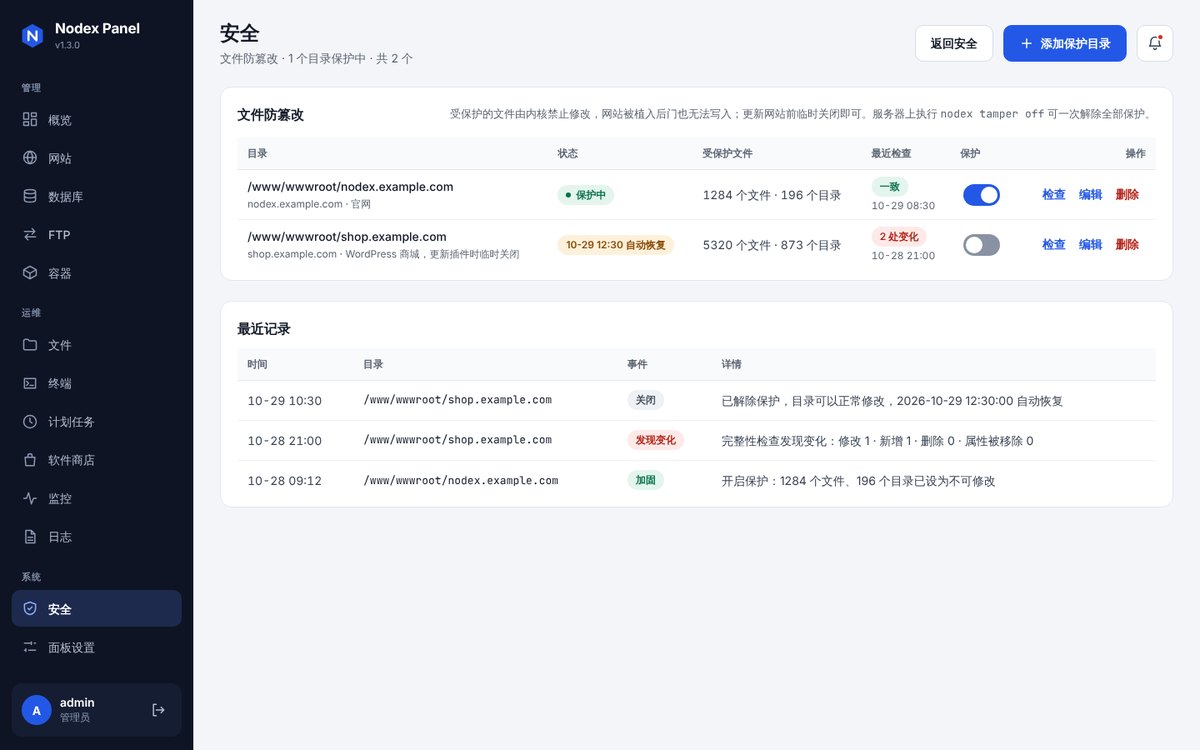
- Tamper protection: kernel-level locking of site directories, rolled back as a whole on failure
- Backups can be encrypted, with remote storage over FTP / SFTP / S3 / WebDAV
- Panel HTTPS certificate renews automatically and falls back to a self-signed one on any problem
Safe updates
Security fixes arrive promptly, without you having to watch for them.
- New versions install automatically while your websites keep running
- If an update goes wrong, the previous version is restored automatically
- Or upgrade any time by running the install command again
Audit and traceability
When something goes wrong, you can see what happened.
- Intrusion detection and security audits run on a schedule
- Sign-in and operation audit logs, plus task history you can review
- API keys can be limited to read-only, source IP, expiry and specific modules
Privacy
Your data stays yours.
- Telemetry is off by default
- Fonts and scripts on this website are self-hosted, with no third-party requests
- Site files and database contents stay on your own server
Use cases
Who it's for
From a single VPS to a team with many servers, the same toolset applies.
Site owners and developers
A single VPS is enough for a complete hosting environment, no more stitching together tutorials and scripts.
- One-click LNMP / LAMP in about 3 minutes, tuned automatically to your memory
- Let's Encrypt with automatic renewal, auto-deploy on GitHub push
- PHP 5.2 ~ 8.5 side by side, 23 rewrite rule sets
Ops teams and multi-server fleets
Bring scattered servers into one view, with changes recorded and permissions bounded.
- Unified multi-node monitoring, batch actions and cross-node file transfer
- Per-module API key scopes; node keys carry a source IP and an expiry
- Scheduled backups to FTP / SFTP / S3 / WebDAV
Game and app hosting
Install and run common services as container apps: capped resources, and restarted if they crash.
- One-click Palworld, GSManager and MCSManager, with scheduled restarts that save first
- frp, Memos, New API, ddns-go and Uptime Kuma work out of the box
- Checks ports, memory and disk before installing; memory and CPU limits can be set
Migration and disaster recovery
Moving servers or planning disaster recovery no longer relies on memory: compare environments first, then restore in one click.
- Panel data, site files and databases packed in one click
- Compare the runtime versions of both servers before migrating
- Scheduled backups with automatic cleanup of old copies
Screenshots
Interface preview
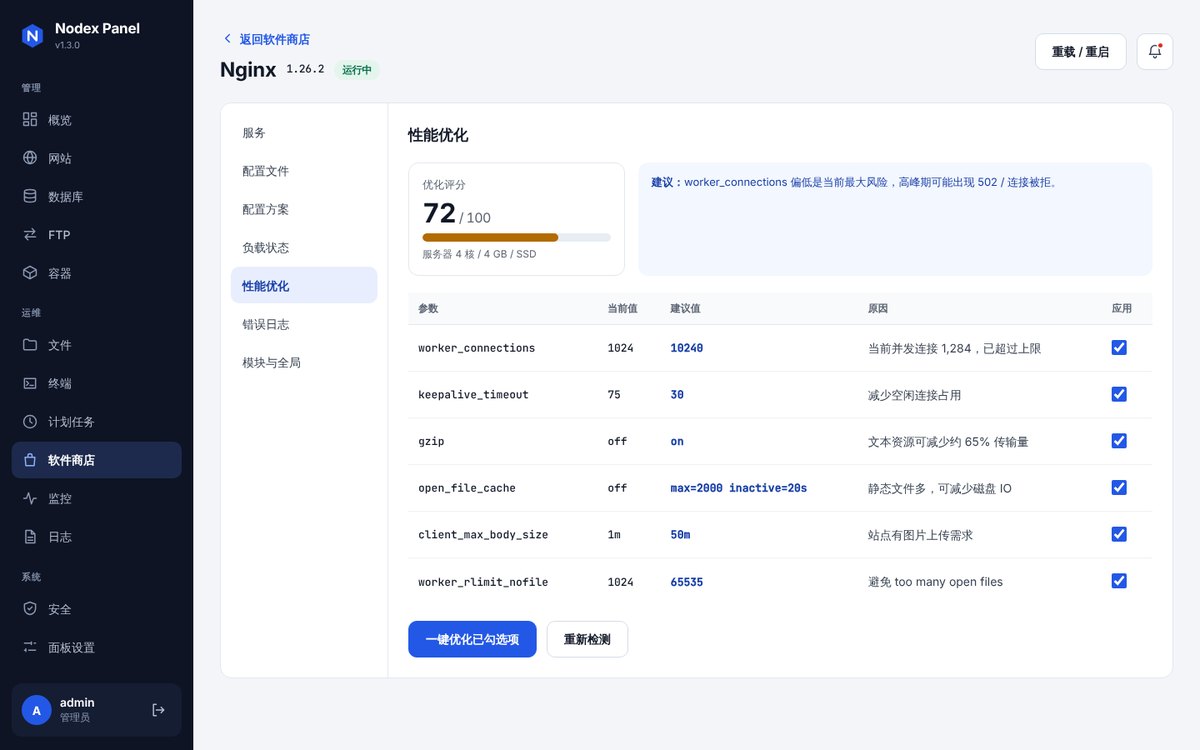
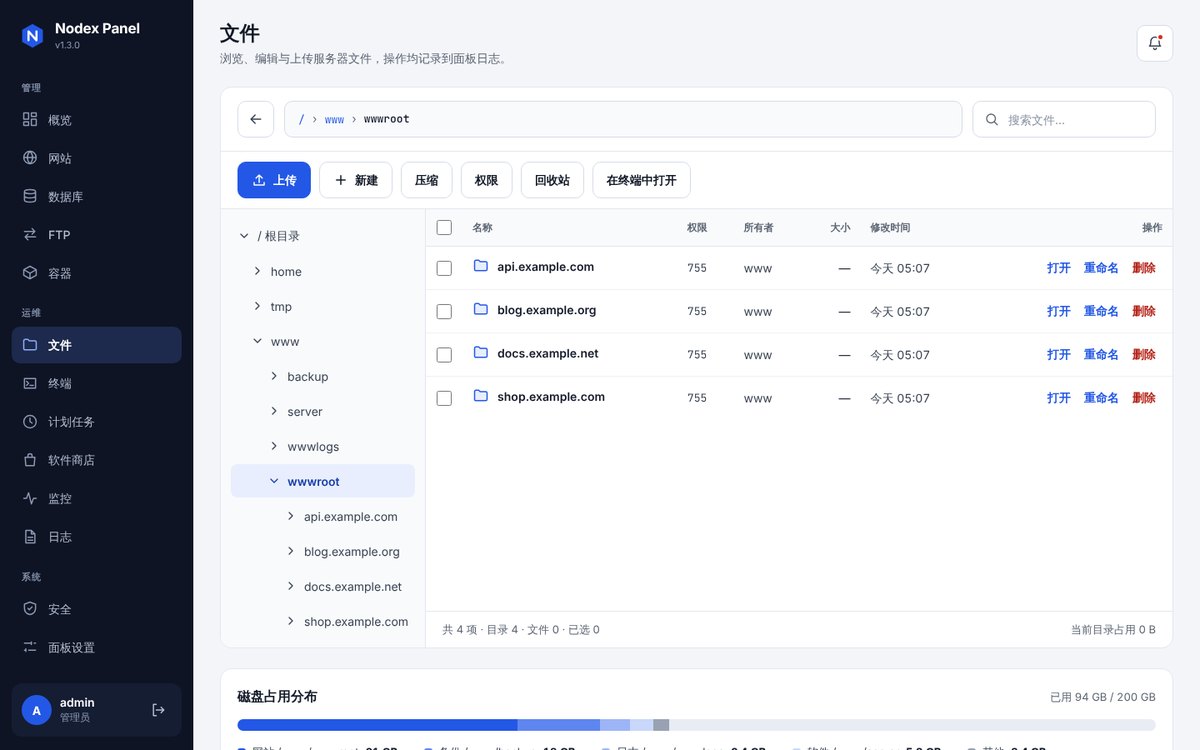
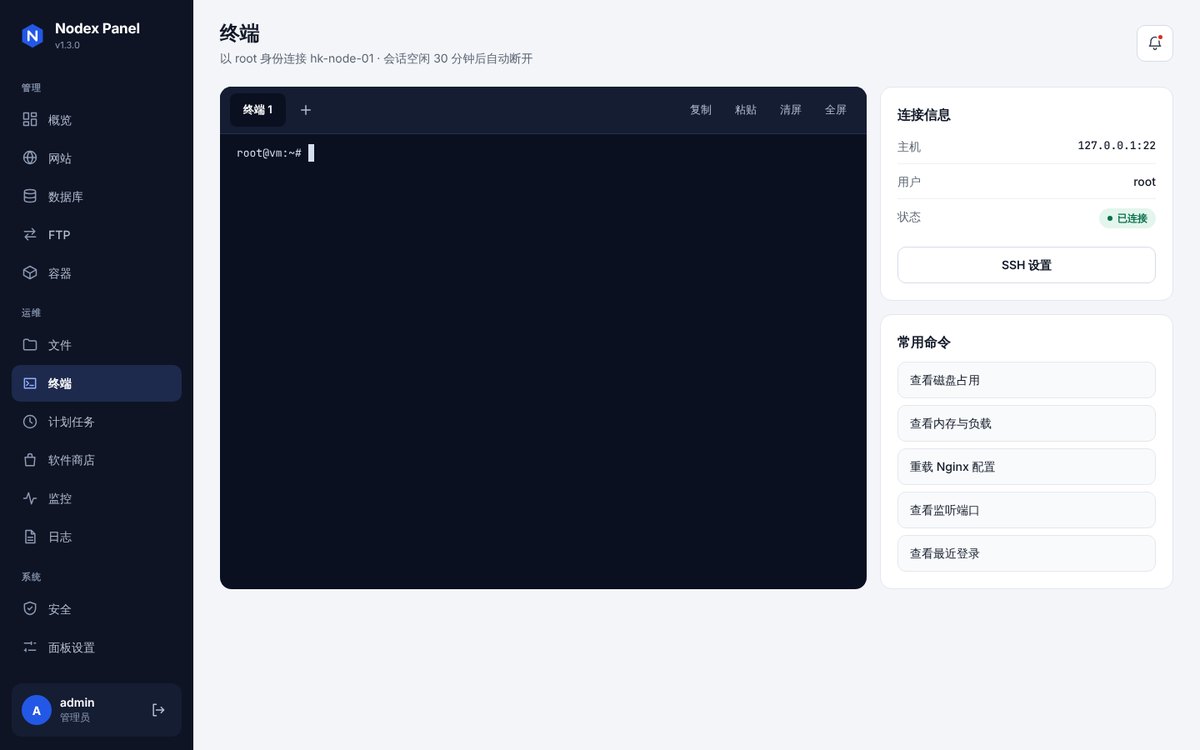
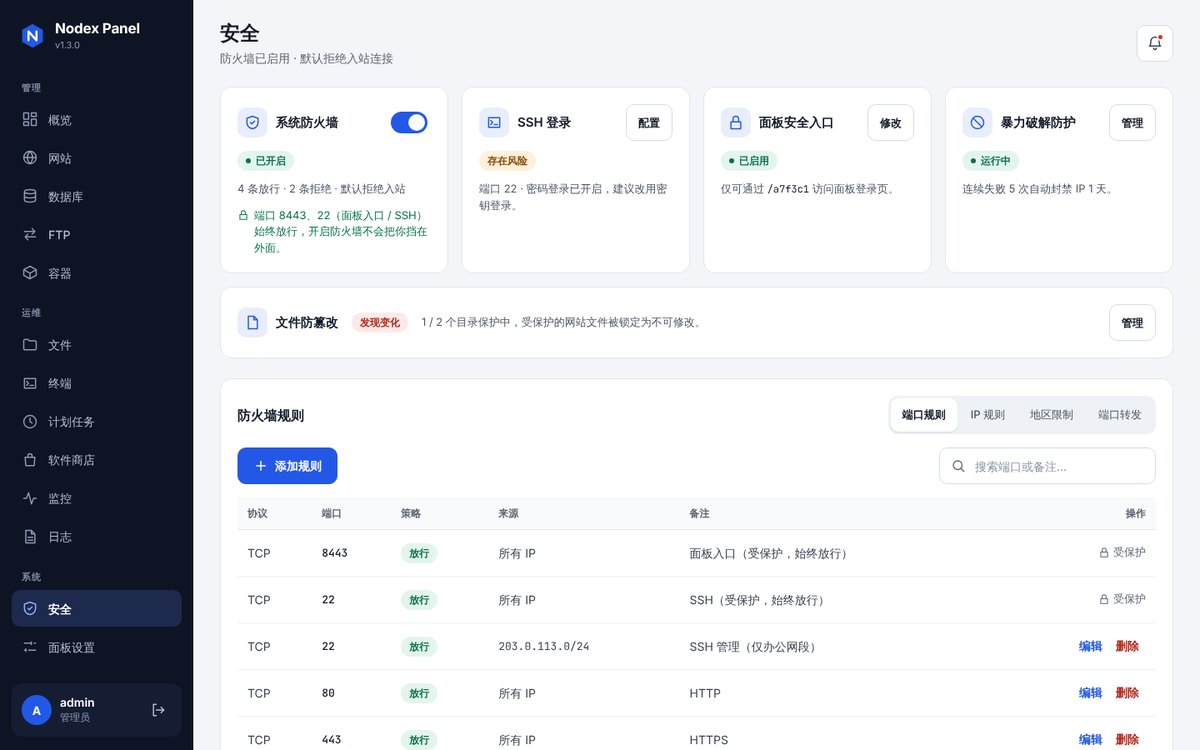
Real screenshots: a dark sidebar with a light workspace, and every action carries a clear status and a text label.
Quick start
Up and running in three steps
Nothing to pre-install: one command sets up the panel, then deploy LNMP in one click after signing in.
-
1
Prepare a clean server
Any of the systems above, logged in as root (no software needs to be preinstalled).
root@server:~# cat /etc/os-release -
2
Run the one-line command
Copy the command at the top of this page; the “Auto” method is recommended. If curl is missing it is installed with apt / dnf / yum first, then the panel is downloaded, verified and installed as a system service, with self-signed HTTPS, a random secure entrance and a random admin account.
root@server:~# bash install.sh -
3
Log in and deploy LNMP in one click
When the command finishes it prints the panel address, account and initial password (saved in /etc/nodex/credentials); after logging in, install and tune Nginx / MySQL / PHP in one click. Running the same command again upgrades the panel.
✓ Nginx · MySQL · PHP
Comparison
From manual operations to Nodex
Same job, fewer steps, fewer chances to get it wrong.
| Scenario | Manual / scripted | With Nodex Panel |
|---|---|---|
| Deploying LNMP / LAMP | Install each component, edit configs, tune again and again | One-click deploy in about 3 minutes, tuned automatically to your memory |
| Certificate issuance and renewal | A certbot script plus a cron job; you find out it failed when the site breaks | One-click issuance and automatic renewal, with a warning when something fails |
| Firewall changes | Hand-written rules; one wrong change can lock you out | Protected ports are always allowed, and port changes have a rollback guard |
| Managing many servers | SSH into each server and run things one by one | One view, one-click sign-in, batch actions |
| Upgrading the panel | Download, replace and restart by hand | Automatic updates, automatic recovery if anything goes wrong |
| Changing servers | Pack things by hand and compare environments from memory | Environments are compared automatically before migration, then restore in one click |
Compatibility
Supported operating systems
Covers today's mainstream Linux server distributions: Debian / Ubuntu use apt, Rocky / AlmaLinux / CentOS Stream / RHEL and similar use dnf; the firewall adapts to ufw / firewalld / nftables automatically.
FAQ
Questions worth asking first
Didn't find your answer? Check the docs or get in touch.
Where does Nodex run, and where is my data kept?
The panel is installed on your own server as a single program running as a systemd service. Day-to-day work such as websites, databases and the firewall happens in the panel, and your data stays on your own server.
Will my server's data be uploaded anywhere?
No. Telemetry is off by default, and site files and database contents are never uploaded. The panel only connects out for version updates and for features you choose to use, such as the certificate and domain store.
What happens if an upgrade fails?
It won't get in your way: if an update goes wrong, the panel restores the previous version automatically and your websites keep running. You can also upgrade manually at any time by running the install command again.
Can changing the firewall lock me out of my server?
No. The panel port and the SSH port are protected ports that are always allowed first; changing the panel port has a rollback guard; nftables rules are replaced atomically as a whole table, and firewalld only removes rules the panel itself added.
What if I forget the secure entry or the admin password?
On the server, use the nodex command line as root to look up the panel entry and address or reset the password. It does not depend on the panel UI, so it still works when the firewall blocks you.
Which systems are supported and what are the requirements?
Debian, Ubuntu, and mainstream RHEL-family distributions such as Rocky, AlmaLinux, CentOS Stream and RHEL (see “Supported operating systems”). You need x86_64, systemd and root access; at least 1 GB of memory is recommended (2 GB or more for LNMP).
Updates
Releases
Installed panels update automatically; you can also upgrade by running the install command again.
- 软件商店新增 MySQL 5.6,可以和 PHP 5.6 组成老程序需要的环境
- Rocky / AlmaLinux 9 也能安装 PHP 5.6
- 新增 Nodex 软件源:优先安装每天经过真实安装测试的软件包,取不到自动用官方源
Release notes for this version are available in Chinese only.
Try it on a server now
One command, about a minute; later upgrades happen automatically and roll back on failure.