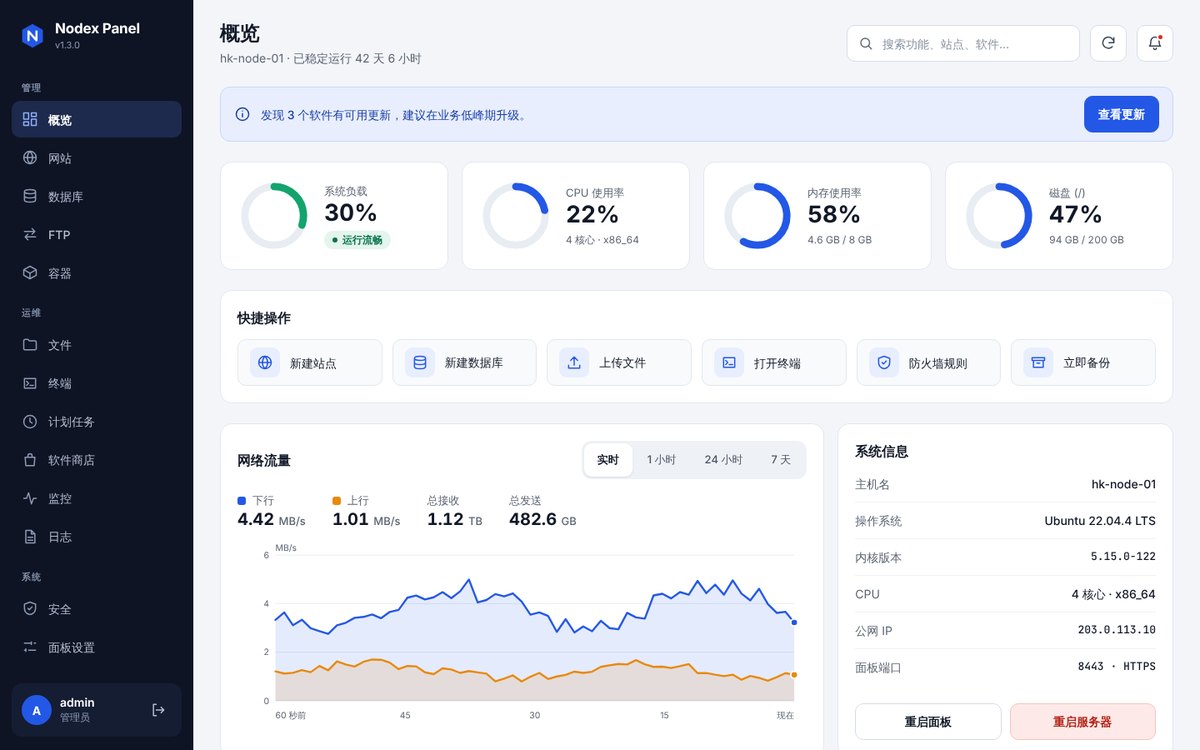
Features
What do you want to do with it?
Nodex Panel features: one-click LNMP / LAMP, website and app deployment, free SSL certificates, server hardening, Docker containers, database management, backup and migration, and multi-server management.
One-click LNMP / LAMP
Pick LNMP (Nginx) or LAMP (Apache), a stack template and component versions. The panel installs step by step and tunes everything to your server's memory; every step is logged, and failures explain the cause and what to do next.
Learn more →Websites and app deployment
Creating a site generates the web server config, directories and logs for you. PHP sites, static sites, reverse proxies and apps in any language are managed in one list.
Learn more →Free SSL certificates
HTTPS takes one click: the panel requests, deploys and renews the certificate. Without port 80, or for wildcard domains, it uses DNS validation instead.
Learn more →Server hardening
No hardening manual required: the common attack surface is closed right after installation, and the rest are one-click switches.
Learn more →Docker and one-click apps
No docker commands to memorize: containers, images, networks and volumes all have full pages, common services install in one click, resources are capped and crashed apps restart.
Learn more →Database management
Everyday database work without typing SQL: databases, users, permissions, backups and imports on one page.
Learn more →Backup and migration
Backups shouldn't depend on memory: scheduled archives, automatic cleanup of old backups and copies to remote storage, plus one-click restore on a new server.
Learn more →Multi-server management
As your fleet grows, stop logging in to servers one by one: resources, alerts and actions come together in one place.
Learn more →Installation
One command to install
Works on fresh or minimal installs of mainstream Linux distributions in about a minute; later upgrades happen automatically and roll back on failure.
command -v curl >/dev/null 2>&1 || { command -v apt-get >/dev/null 2>&1 && apt-get update -qq && apt-get install -y -qq curl ca-certificates || dnf install -y -q curl || yum install -y -q curl; }; d=$(mktemp -d) && curl -fsSL 'https://www.66panel.com/install.sh' -o "$d/install.sh" && bash "$d/install.sh"; s=$?; rm -rf "$d"; [ $s -eq 0 ]